One-click autofill
Contact details, links, work history, education, skills, your resume and common screening questions, filled the way a person would type them.
lazyfill is a Chrome extension that fills job applications from your profile, remembers the answers you give, and tracks everything you apply to. Your data lives in your own Firebase project, not on someone else's server.
Chrome, Edge and Brave. Never submits a form for you.
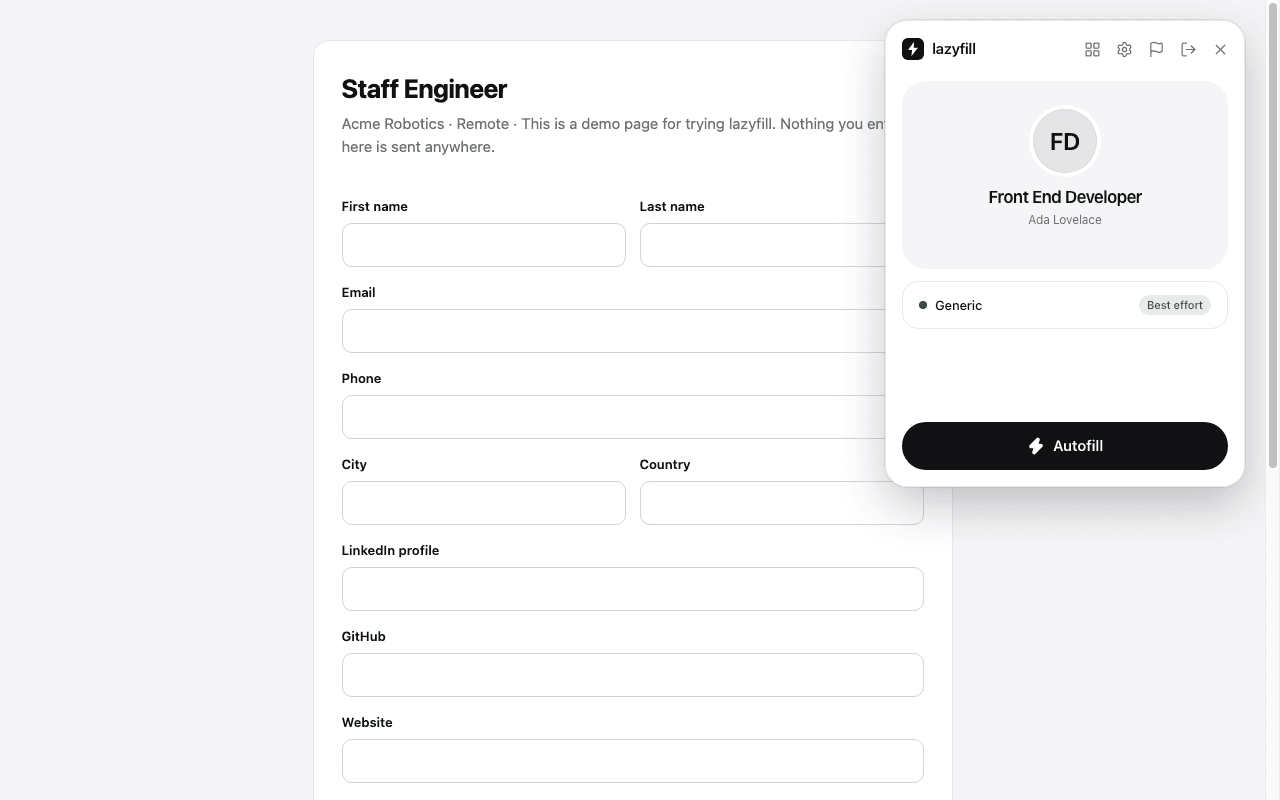
Recognises the applicant tracking systems companies use
Features
Contact details, links, work history, education, skills, your resume and common screening questions, filled the way a person would type them.
"Add another job" sections are filled one entry at a time, including month and year pickers, "currently work here" boxes and degree wording.
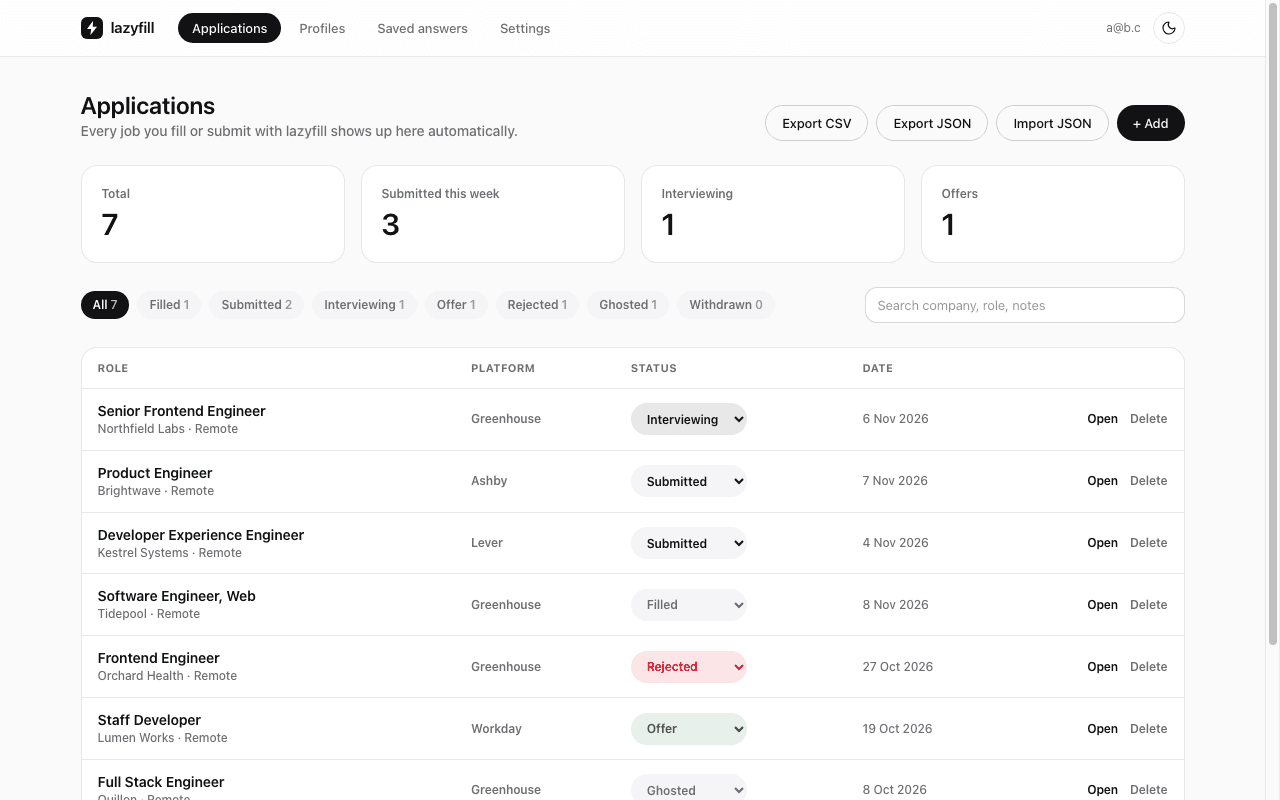
Every application you fill or submit is saved with company, role, link and status. Search, filter, add notes, export CSV or JSON.
Answer a new question once and lazyfill fills it next time. Edit or delete any saved answer from the dashboard.
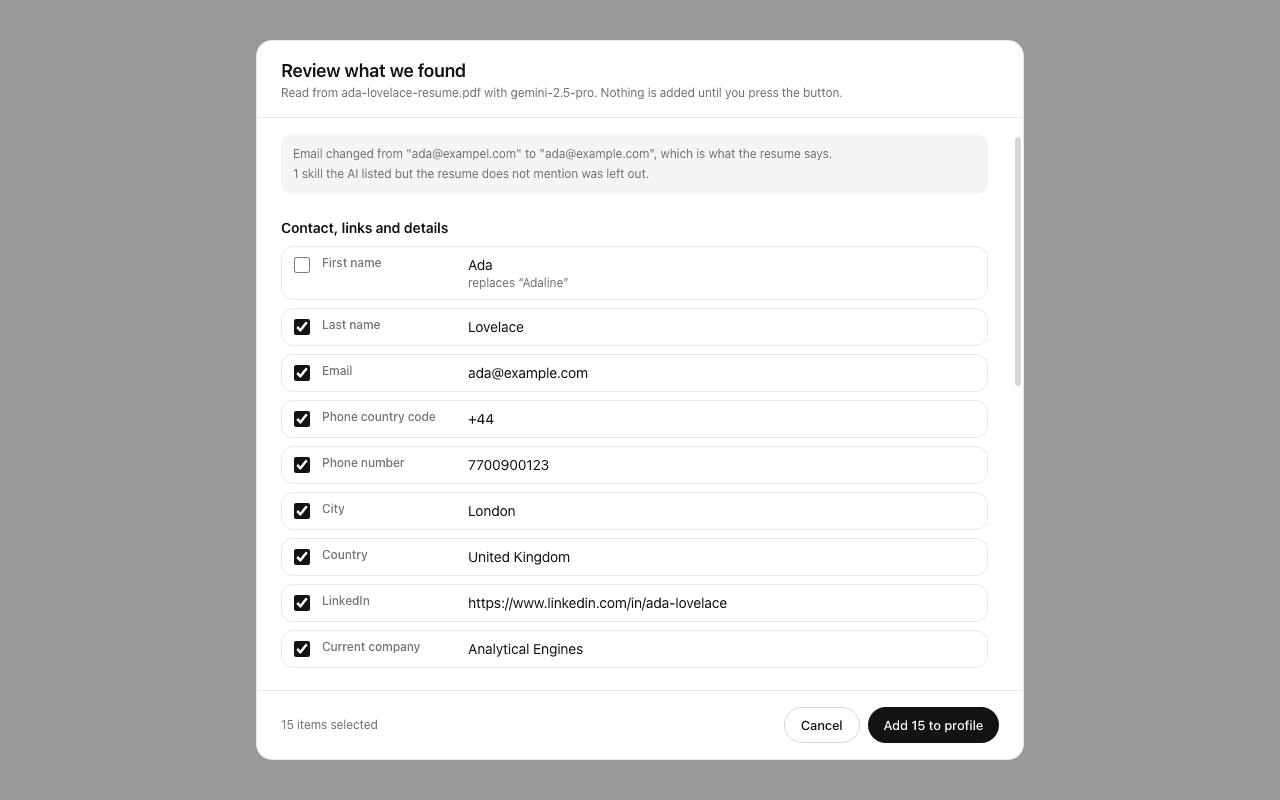
Turn a PDF or image of your resume into a profile with your own AI key, then tick what to add on a review screen.
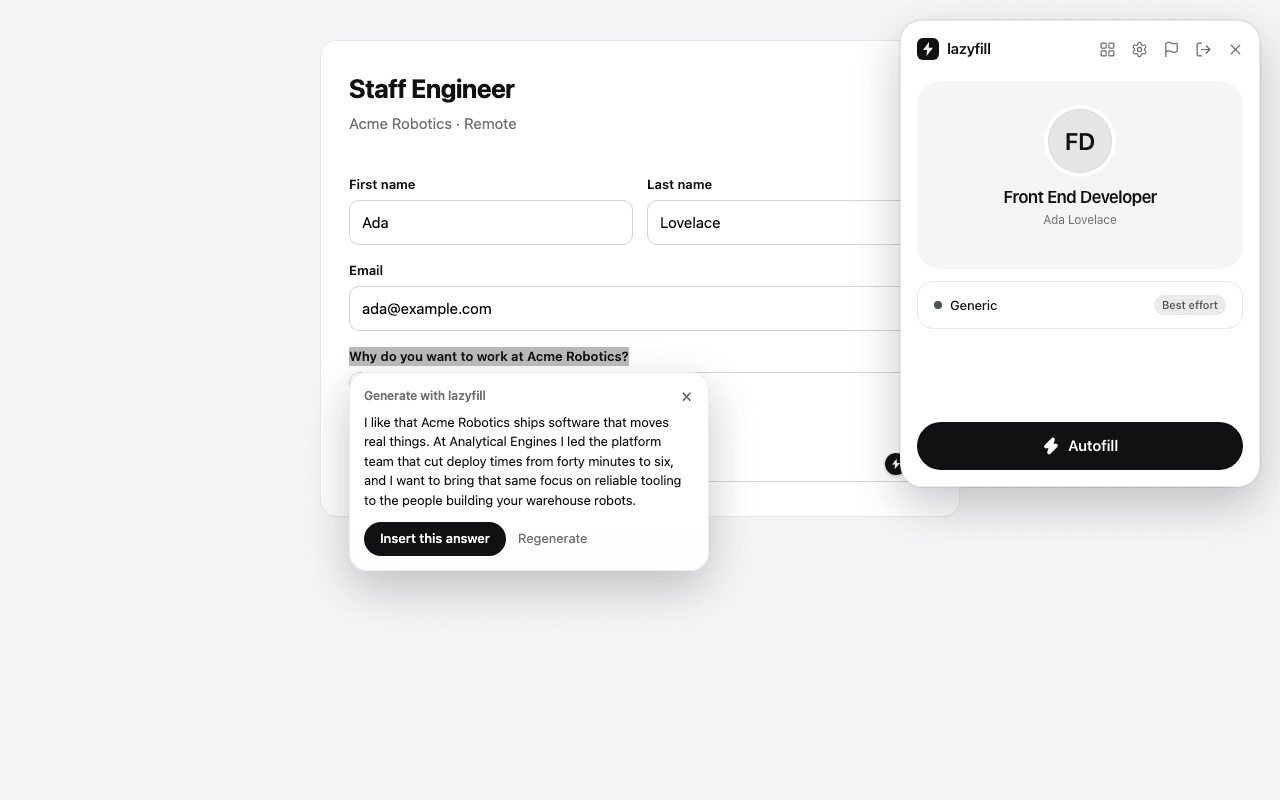
Select an open question, right-click, and get a draft based on your profile and the job. Legal and identity questions are left to you.
Detect
Track
Import
Draft
How it works
Clone the repository, run npm install and npm run build, and load the dist folder as an unpacked extension.
npm install && npm run buildCreate a free Firebase project, paste its web config into Settings, and create your account. About ten minutes, once.
Settings > Firebase projectPick a profile, press Autofill, review every field, and submit it yourself. lazyfill records it in your tracker.
AutofillEvery step, with checks and fixes for common problems, is in the setup guide.
Privacy by design
Profiles and applications are stored in a Firebase project you own. Security rules let only your verified account read them.
There is no lazyfill backend. The code sends nothing to its authors and contains no analytics, trackers or ads.
Your AI key and Firebase config are kept in the browser. AI requests go straight to the provider you chose, only when you use them.
lazyfill never submits a form, never ticks consent boxes, and never saves passwords, ID numbers or dates of birth.
FAQ
Yes. lazyfill is open source under the MIT license. The Firebase free plan covers personal use. AI features use your own Gemini or OpenAI key, billed by that provider, and are optional.
No. Autofill, saved answers and the tracker work without one. A key only adds resume import and drafted answers.
So your account and data are stored somewhere you own instead of on a shared server. You create it once in the Firebase console and paste its config into the extension.
Not at the moment. You build it from the repository and load it as an unpacked extension. The setup guide walks you through it.
Chromium based browsers, version 114 or newer: Chrome, Edge and Brave. Firefox and Safari are not supported.
Never. It fills the form and stops. You review every field and press submit yourself.
The general engine fills whatever it can match by label, name and accessibility attributes, and the questions it cannot answer are remembered once you type them.